Flip channels again.30 channels. One little box. Your old tube TV.
T-ManTV is a cable box that plays real TV schedules around the clock: cartoons, sitcoms, movies, sports, news and weather, all from 2006 and earlier. Nothing to pick. Just turn it on and see what's on.

Real schedules
Every channel has a daily lineup, like real cable. Shows start on the hour and half hour. Tune in late and you've missed the start.
On-screen guide
See what's on now and what's next on every channel. Scroll, pick a show, press OK.
Channel banner
Change the channel and a banner tells you the show, the episode, how far along it is and what's next.
On Demand
Don't want to wait? Pick any show or movie from the menu. It remembers where you stopped.
Local weather
A Weather Channel with your own forecast, radar and that music. Just enter your ZIP code.
Commercials & bumpers
Old ads, station IDs and "up next" cards between shows. Static when you flip channels.
Pick your look
Choose from 13 guide styles, from 90s cable to 2000s satellite. Change it any time.
Game channel
Channel 3 is Nintendo Power. Press OK, grab a controller and play.
Help desk on channel 1
Something broken? Want a show added? Tell Tristan right from the TV. Patch notes live there too.
Updates itself
New shows, channels and fixes arrive overnight. You get a 5-minute heads-up on screen first.
Made for tube TVs
Plugs into the yellow, white and red jacks. The picture is sized for a CRT, the way these shows were meant to look.
One remote
Channel up and down, numbers, guide, OK. There's a keyboard on the back for typing.
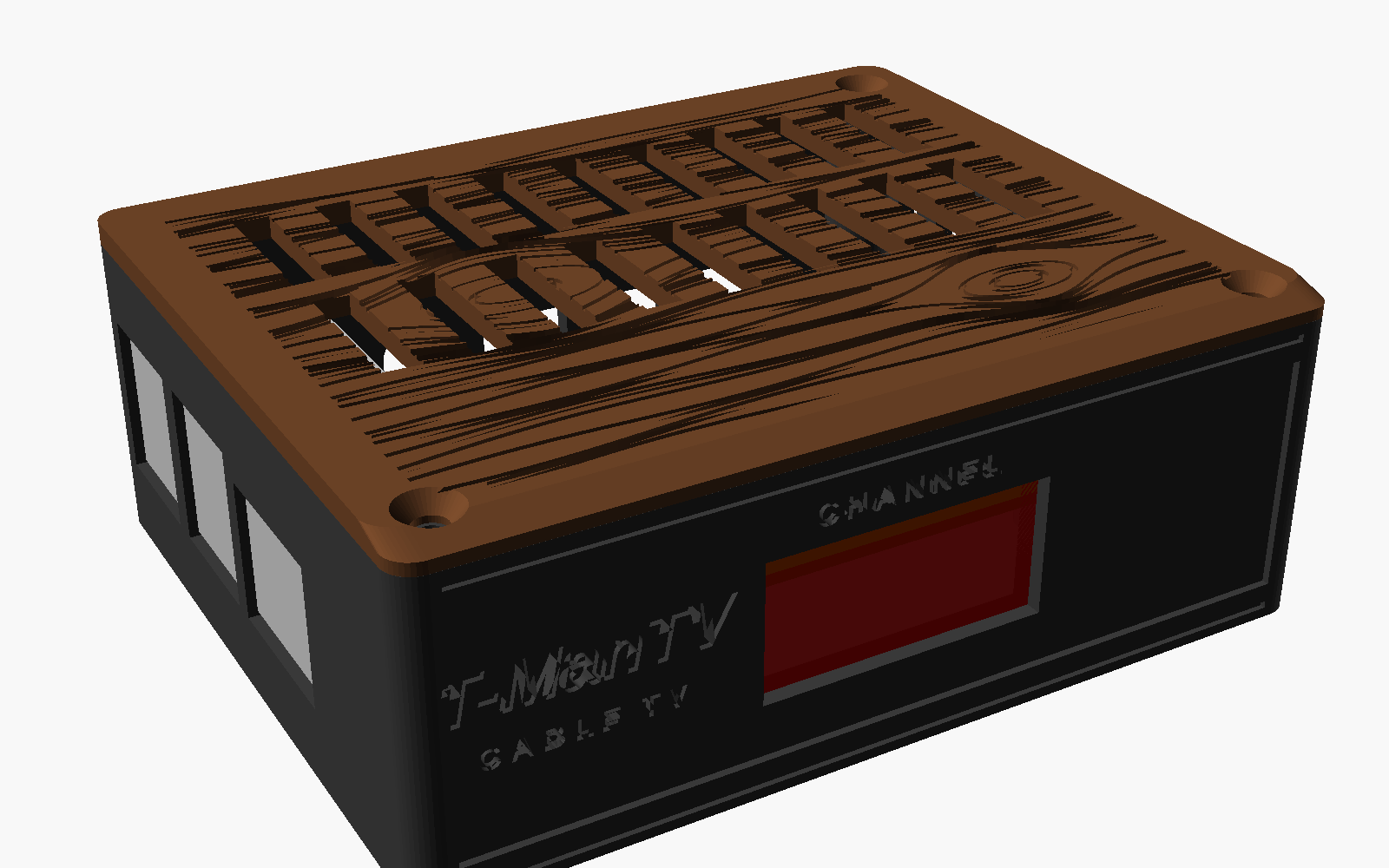
A tiny computer in a cable-box case with a wood-grain top and a red channel number on the front.
- Plugs into any TV with yellow, white and red jacks
- Uses your home Wi-Fi (or a network cable)
- Comes with a remote
- Turns on with the TV and starts on the Weather Channel
- No monthly bill, no account, no ads from this century
Case picture is the 3D design. Real photos coming.
- Plug it inYellow, white and red into the TV. Power into the wall.
- Pick a lookChoose how your guide looks. The TV shows you a preview.
- Join Wi-FiPick your network on the TV and type the password with the remote.
- Enter your ZIPFor your local weather. Then you're watching TV.
Does it need the internet?
Yes. The shows stream to the box, so no internet means no TV. Normal home Wi-Fi is plenty.
Can I pause or rewind?
Not on the live channels. That's the point: it's TV. Use On Demand when you want to pick a show, pause and pick up later.
Will it work on my flat screen?
If it has the yellow, white and red jacks, yes. It looks best on an old tube TV, which is what it's made for.
How new are the shows?
Nothing after 2006. Mostly the 80s, 90s and early 2000s, plus older movie classics.
A show won't play or looks wrong. What do I do?
Go to channel 1 and pick Report a Problem. It sends what you were watching so it can be fixed.
Can I ask for a show or channel?
Yes. Channel 1, Request a Show. If it can be found, it gets added and shows up on your box by itself.
Can I turn channels off for the kids?
Yes. Ask Tristan and he can hide channels on your box, or set it to kids channels only.
What does the box send back?
How long each channel gets watched and whether the box is healthy (online, temperature, storage), so problems get caught early. Nothing else from your home network.